Upload of Item Lists

Item lists can be uploaded directly from your planning tool to the shopping cart of the OSTERMANN online shop. Instead of entering items manually, use your existing data for a quick and convenient order. This saves time, reduces effort, and ensures a smooth process from planning to ordering.

This is How the Upload of Item Lists Works

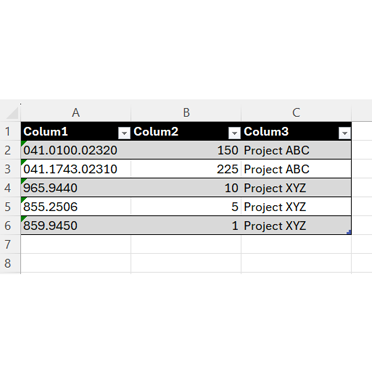
For the upload, you need a .txt or .csv file with the columns "part number", "quantity", and optionally a "commission number". Each line corresponds to a specific item. You can upload up to 20 items. Please note that all OSTERMANN part numbers have a leading zero. In Excel, it is recommended to format the part numbers as text to ensure that all digits are correctly displayed.


Template CSV

Upload Item List - Explained Briefly

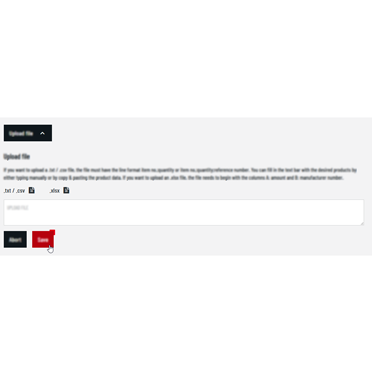
The item list can be easily uploaded: simply log into the online shop and open your shopping cart. Click on "Upload file" and upload your .txt or .csv file, then click on save. All items will be automatically added to your cart.

Item List Template for Easy Upload

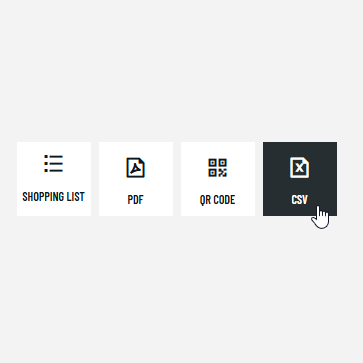
For optimally structuring your file, you can simply use a template from the shopping cart of the online shop. To do this, export an existing shopping cart as an Excel file and use it as the basis for your parts list. Save the file afterwards as a final .txt or csv. file to use it for the upload. This ensures that all data is structured correctly and the upload runs smoothly.

Screenshot CSV download
Language
DK
© 2026 Rudolf Ostermann GmbH